UptimeRobot Monitor by Volade
Monitores UptimeRobot en wp-admin, uptime % en WordPress.
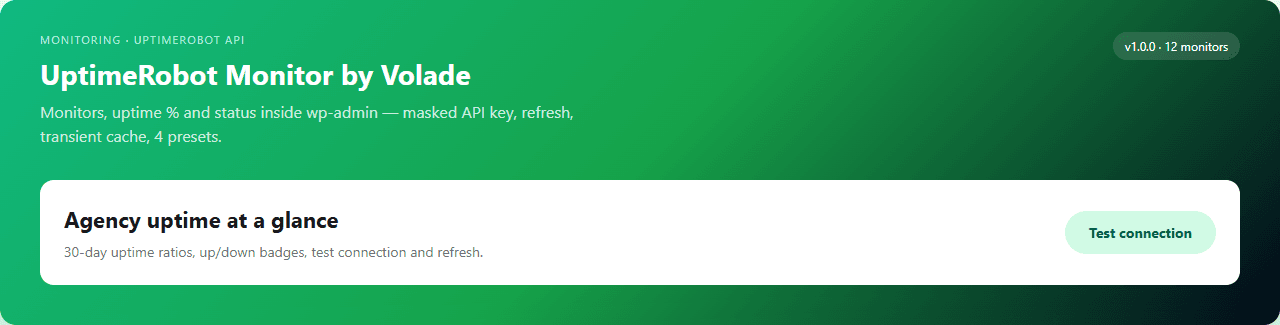
UptimeRobot Monitor by Volade sincroniza sus monitores UptimeRobot en WordPress — dashboard con uptime %, registro de eventos, shortcode [urm_status] y preset Agency-overview para agencias multi-cliente.
3-step workflow
- 1Copy your UptimeRobot API key from My Settings → API Settings
- 2Volade → UptimeRobot Monitor → paste key → Sync monitors
- 3Apply Agency-overview preset — add [urm_status] to client pages
Agency ops 2026
Client asks for uptime — you screenshot UptimeRobot again
Monitors live in another tab; monthly reports mean manual exports and stale embeds on the client site.
99.9%
uptime visible in wp-admin after sync
UptimeRobot API bridge, monitors dashboard, uptime %, 4 presets and free JSON export — API key from your UptimeRobot account, no Volade account.
UptimeRobot
API sync
Dashboard
In wp-admin
4
Monitoring presets
JSON
Free export
De un vistazo
Las agencias siguen consultando UptimeRobot fuera de WordPress por cada cliente. UptimeRobot Monitor by Volade v1.0.0 muestra monitores, uptime % y estado en wp-admin: shortcode público, cuatro presets y exportación JSON — gratis sin cuenta (clave API UptimeRobot requerida).
Capturas de pantalla
UI de administración real a página completa: ajustes predefinidos, diagnósticos y configuración detallada.
2026 pricing comparison
Pay for Better Uptime seats, or URM at $0
Better Uptime and Pingdom charge per monitor or seat. Manual status pages rot. URM ships UptimeRobot sync, dashboard and Client-report preset free.
Plugin free · UptimeRobot API key · free tier monitors on UptimeRobot
$29+/mo
Better Uptime / Pingdom seats
$0
UptimeRobot Monitor by Volade
Why agencies still juggle UptimeRobot tabs — and embeds don't report in wp-admin
UptimeRobot web is another tab. Better Uptime is a separate SaaS bill. Pingdom embeds are read-only. URM syncs monitors into WordPress with presets for agency overview and client reports.
The tab-switching problem
You need monitors in wp-admin — not another bookmark.
UptimeRobot web works but lives outside WordPress. Better Uptime duplicates billing. Pingdom embeds don't sync logs. Manual status pages fall out of date before the client meeting.
- Agency checks five UptimeRobot tabs before standup
- Client site has no live uptime without custom dev
- Pingdom iframe: no preset or JSON handoff
- Better Uptime: separate login from WordPress
- Monthly PDF reports manually stitched from screenshots
- No WP-CLI sync for staging vs production monitors
The Volade answer
UptimeRobot sync, dashboard, shortcode — from wp-admin.
URM pulls monitors via UptimeRobot API, shows uptime % and Up/Down/Paused/Unknown, includes [urm_status], 4 presets and free JSON export — API key from UptimeRobot only.
- Dedicated Volade → UptimeRobot Monitor dashboard
- Monitors synced with uptime % and last check
- Event log with monitor ID refs
- One-click sync from UptimeRobot API
- Critical-only preset — alert-focused view
- 4 presets: Agency-overview, Critical-only, Client-report, Status-page-lite
- Free JSON export — monitors, presets, health
- wp urm status | sync | log | preset | export
4 monitoring presets
Agency-overview, Critical-only, Client-report or Status-page-lite — one click, UptimeRobot sync preserved.
Agency-overview
All client monitors in one wp-admin view — grouped by site tag.
AgencyCritical-only
Down or degraded monitors only — on-call friendly.
OpsClient-report
Uptime % summary for monthly client PDFs and portals.
ReportStatus-page-lite
Minimal public-facing stats via [urm_status] shortcode.
Public4 monitor statuses
Up, Down, Paused and Unknown — every synced monitor with uptime % and last check time.
Monitor passing checks — uptime % shown on dashboard.
Monitor failing — highlighted in Critical-only preset.
Monitor paused in UptimeRobot — still listed with badge.
Sync or API error — inspect log and re-sync.
Statuses reflect UptimeRobot API at last sync — run sync after incident or preset change.
Same monitors, WordPress dashboard
Agency-overview preset — 24 monitors synced, uptime % in wp-admin.
Sync
API key saved — monitors pulled from UptimeRobot.
Preset
« Agency-overview » applied — grouped by client tag.
Shortcode
[urm_status] on client status page — live uptime %.
Export
urm-monitors.json for agency handoff.
Dashboard preview
Agency-overview — 24 monitors · avg 99.92% uptime
Log exported as urm-monitors.json for the monthly client report folder.
Real scenarios
What changes after activation.
Monday agency standup
Before: Open UptimeRobot for each client
After: Agency-overview in wp-admin → Critical-only for incidents
One dashboard
Client monthly report
Before: Screenshot uptime graphs
After: Client-report preset + export JSON + [urm_status]
Audit trail
Public status page
Before: Hand-coded HTML table
After: Status-page-lite + [urm_status] shortcode
Live sync
Deploy checklist
Before: Hope staging monitors match prod
After: wp urm sync on staging then production
CLI parity
What generic embeds don't ship for UptimeRobot
UptimeRobot-native monitors dashboard, sync log, [urm_status] shortcode, presets and export — in wp-admin, no Volade account required.
UptimeRobot API sync
Pull monitors, uptime % and status into WordPress.
Monitors dashboard
wp-admin view with filters aligned to presets.
[urm_status] shortcode
Embed uptime summary on pages and client portals.
Critical-only preset
Surface Down monitors for on-call without noise.
4 monitoring presets
Agency-overview, Critical-only, Client-report, Status-page-lite.
JSON export
Monitors, presets and health — free.
WP-CLI + REST
wp urm status/sync/log/preset/export.
Agency reporting
Complements client PDFs and portals from wp-admin data.
Complements agency client reporting: URM surfaces uptime in wp-admin and on pages via [urm_status] — keep UptimeRobot as source of truth, WordPress as the handoff layer.
What teams pay for WordPress uptime visibility
Public pricing July 2026 — embeds vs wp-admin dashboard.
UptimeRobot web only
$0–7+/mo
Another browser tab — no wp-admin dashboard or client shortcode.
Better Uptime
$29+/mo
Separate SaaS — not wired to WordPress client sites.
Pingdom embed
$10+/mo
Read-only iframe — no sync log or agency presets.
Manual status page
Dev time
Hand-updated HTML — drifts from live monitors.
UptimeRobot Monitor by Volade
$0
UptimeRobot sync, wp-admin dashboard, [urm_status], 4 presets, REST + WP-CLI.
WordPress uptime visibility landscape 2026
Embeds vs wp-admin sync — URM targets UptimeRobot-native WordPress handoff, not another external dashboard login.
UptimeRobot web only
Official UptimeRobot dashboard in browser.
Limit: Outside WordPress — no shortcode, presets or agency export.
Better Uptime
Modern uptime SaaS with status pages.
Limit: Separate subscription — not synced to wp-admin.
Pingdom embed
Iframe uptime widget on a page.
Limit: Read-only embed — no sync log or WP-CLI.
Manual status page
Static HTML or Notion table.
Limit: Drifts from live monitors — manual updates every incident.
UptimeRobot API DIY
Custom cron calling api.uptimerobot.com.
Limit: Dev time — no presets, shortcode or Volade SDK.
Do nothing
Email client when site is down.
Limit: Reactive — no uptime % in reports or wp-admin.
Comparison table — 5 approaches
URM vs UptimeRobot web only, Better Uptime, Pingdom embed and manual status page.
| Feature | URM Volade | UptimeRobot web | Better Uptime | Pingdom embed | Manual status page |
|---|---|---|---|---|---|
| UptimeRobot monitors in wp-admin | |||||
| Sync log with monitor refs | ~ | ~ | |||
| Uptime % on dashboard | ~ | ||||
| [urm_status] shortcode | ~ | ~ | |||
| 4 monitoring presets | ~ | ||||
| Free JSON export | ~ | ~ | |||
| Uses existing UptimeRobot monitors | ~ | ||||
| Integrated WP-CLI | |||||
| No Volade account (core) | |||||
| Typical plugin cost | $0 | $0–7 | $29+ | $10+ | Dev $ |
UptimeRobot remains your monitor source — URM complements WordPress with wp-admin dashboard, shortcode and agency presets.
Three tiers, one plugin
Sync, dashboard, shortcode, presets and JSON export free. Volade account for REST. V+ for multisite rollup.
No account
- UptimeRobot API sync
- Monitors dashboard
- [urm_status] shortcode
- 4 presets
- Critical-only view
- JSON export
Volade account
- REST urm/v1
- Sync/log via API
- Scheduled export
V+ Premium
- Multisite preset rollup
- wp urm network sync
- Agency harmonization
WP-CLI `wp urm` and REST `urm/v1` to sync, tail the event log, apply presets and export across staging and client sites.
WP-CLI
status, sync, log, preset and export from SSH — `wp urm sync --force`.
wp urm status
wp urm sync
wp urm log
wp urm preset agency-overview
wp urm export
Multisite
Monitor list per site; harmonized Agency-overview on V+.
- Dashboard per blog
- Consolidated JSON export
- Agency network presets
Download
Install the ZIP, paste your UptimeRobot API key, sync monitors — dashboard and uptime % in wp-admin in under a minute.
ZIP with Volade SDK — Volade → UptimeRobot Monitor (or Settings → UptimeRobot Monitor).
- 1Plugins → Add New → Upload → ZIP → Activate
- 2Volade → UptimeRobot Monitor → paste API key from UptimeRobot My Settings
- 3Sync monitors → apply Agency-overview preset → embed [urm_status] → export JSON
First monitor sync in under 60 seconds
FAQ
UptimeRobot API, wp-admin dashboard, shortcode, multisite, agency reporting and Volade account.
No. Paste your UptimeRobot API key from My Settings — sync, dashboard, shortcode and presets work without Volade signup.
Gratis vs V+ Premium
La extensión funciona sin cuenta. V+ desbloquea premium en esta extensión y en todo el catálogo.
| Característica | Gratis | V+ |
|---|---|---|
| Sync API UptimeRobot + dashboard moniteurs wp-admin | ||
| Uptime %, journal sync & shortcode [urm_status] | ||
| 4 presets agency-overview / critical-only / client-report / status-page-lite | ||
| Journal & export JSON gratuit | ||
| API REST urm/v1/* programmatique | ||
| Rollup multisite, wp urm network sync & presets agence |
Reseñas, debates y novedades
Comparte tu experiencia con UptimeRobot Monitor by Volade y sigue las últimas versiones.
¿Listo para sincronizar UptimeRobot en WordPress?
Descargue UptimeRobot Monitor by Volade v1.0.0 — primera sync en un minuto, sin registro Volade.
Descargar v1.0.0